
Built for organisations that have to answer for their data
Regulators, auditors, and boards all ask the same three questions: where is the data, who can reach it, and what have they done with it. This page answers each of them.
Privacy
Built to support NDPR obligations
Encryption
Protected in transit and at rest
Accountability
Every action in the audit log
Support for your NDPR obligations
The Nigeria Data Protection Regulation makes your organisation accountable for personal data it holds. Workspace Manager is built so that accountability is something you can demonstrate.
Know where the data sits
NDPR expects you to be able to say where personal data is stored. Point the platform at your own database and object storage, in a region you choose, and the answer is one you control rather than one you inherit.
Limit who can see it
Data-protection obligations start with access. Granular roles, document-level permissions, and restricted organogram branches keep personal records visible only to the people whose work requires them.
Show what happened
The audit log records every read and write with its user, path, and result, which is the evidence you need when you have to demonstrate compliance rather than assert it.
Keep processors accountable
Bring your own AI provider and your own storage, and the list of third parties touching personal data becomes a list you decide on, with per-model usage you can actually see.
Compliance is a shared responsibility. Workspace Manager provides the controls, residency options, and evidence trail; your organisation remains the data controller and decides how they are configured.
Sign-in that fits your identity provider
Most breaches start at the front door. Workspace Manager supports the sign-in methods enterprises already run on, and lets you make the strong ones mandatory.
Single sign-on
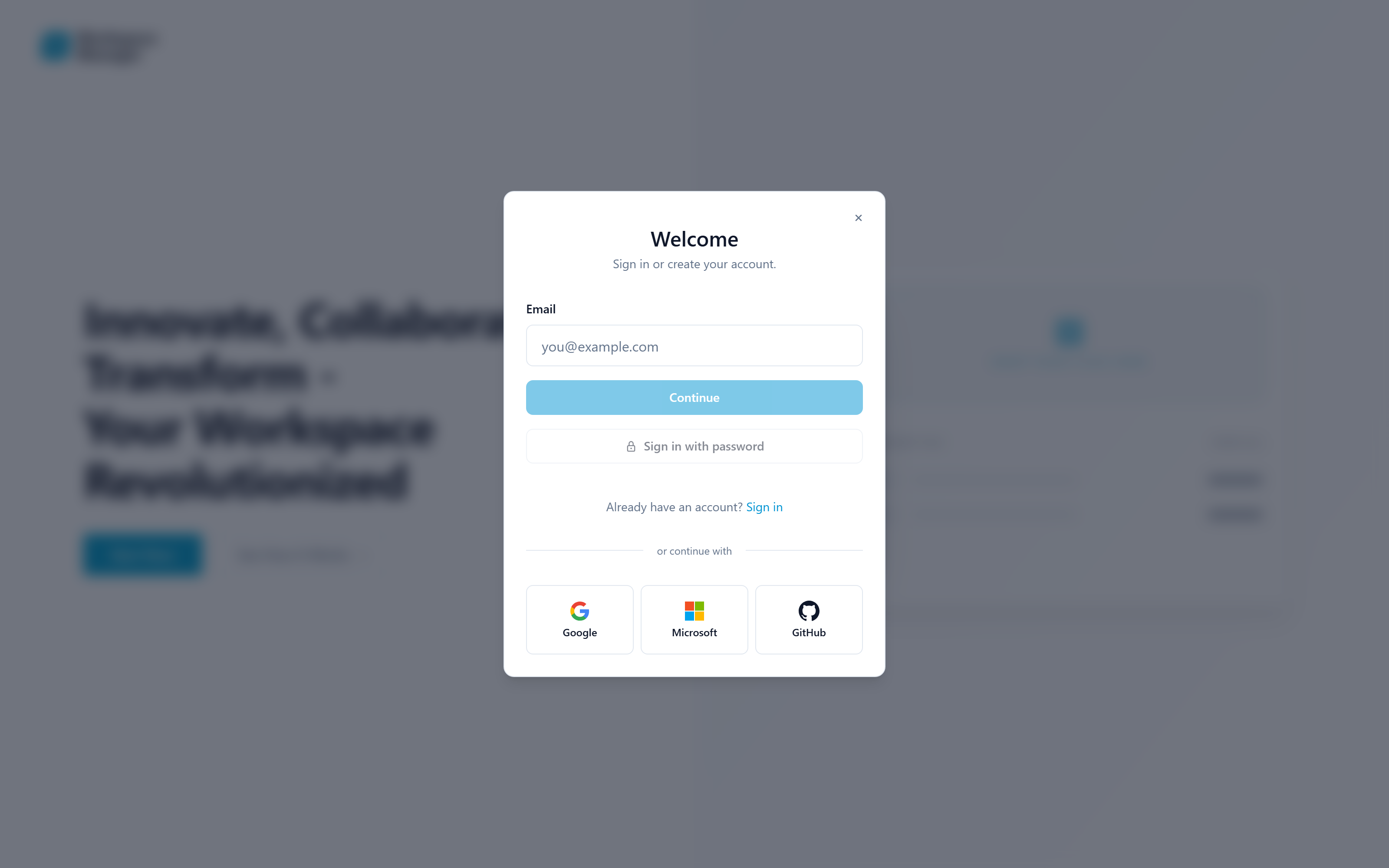
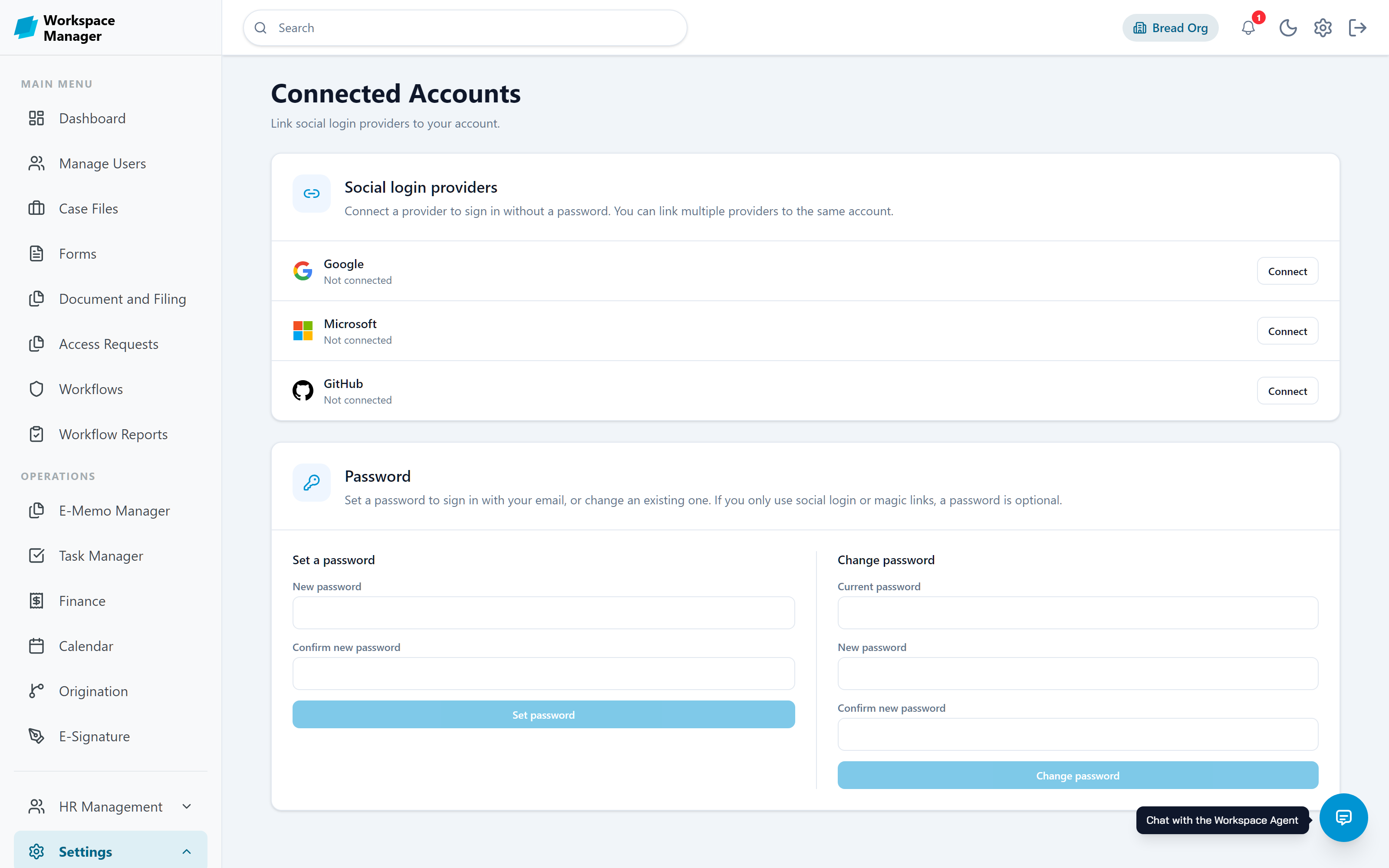
Sign in with Google, Microsoft Entra, or GitHub through a standard OAuth authorisation-code flow with PKCE. Staff keep the accounts they already have, and removing someone from your identity provider removes their way in.
Two-factor authentication
Protect accounts with a one-time code by email or with an authenticator app such as Google Authenticator, Microsoft Authenticator, or Authy. Enrolment is by QR code or a manual key.
Passwordless and magic links
Send a sign-in link by email instead of asking people to remember another password, and let them add one later if they want it.
Policy that cascades
Two-factor and email-matching policies flow from platform to organisation to user. A higher tier can require a setting and lock it, so a local admin cannot quietly turn it off.
Protected in motion and at rest
Encryption on the wire, encryption in the database, and credentials that can be replaced but never read back.
Data in transit
All traffic between browsers, the gateway, and internal services runs over TLS. The browser talks only to a server-side proxy, so tokens are never exposed to page scripts.
Data at rest
Sensitive configuration such as database connection strings, storage keys, and AI provider keys is encrypted before it is stored, using AES-256-GCM. Credentials are write-only: once saved they can be replaced, never read back.
Session handling
Sessions live in an HTTP-only cookie that page scripts cannot read, and tokens are verified on every request against the identity service signing keys.
Tenant isolation
Every organisation is resolved server-side from the signed token rather than anything the browser sends, so one organisation cannot read another's records even by guessing an identifier.
Least privilege, enforced on the server
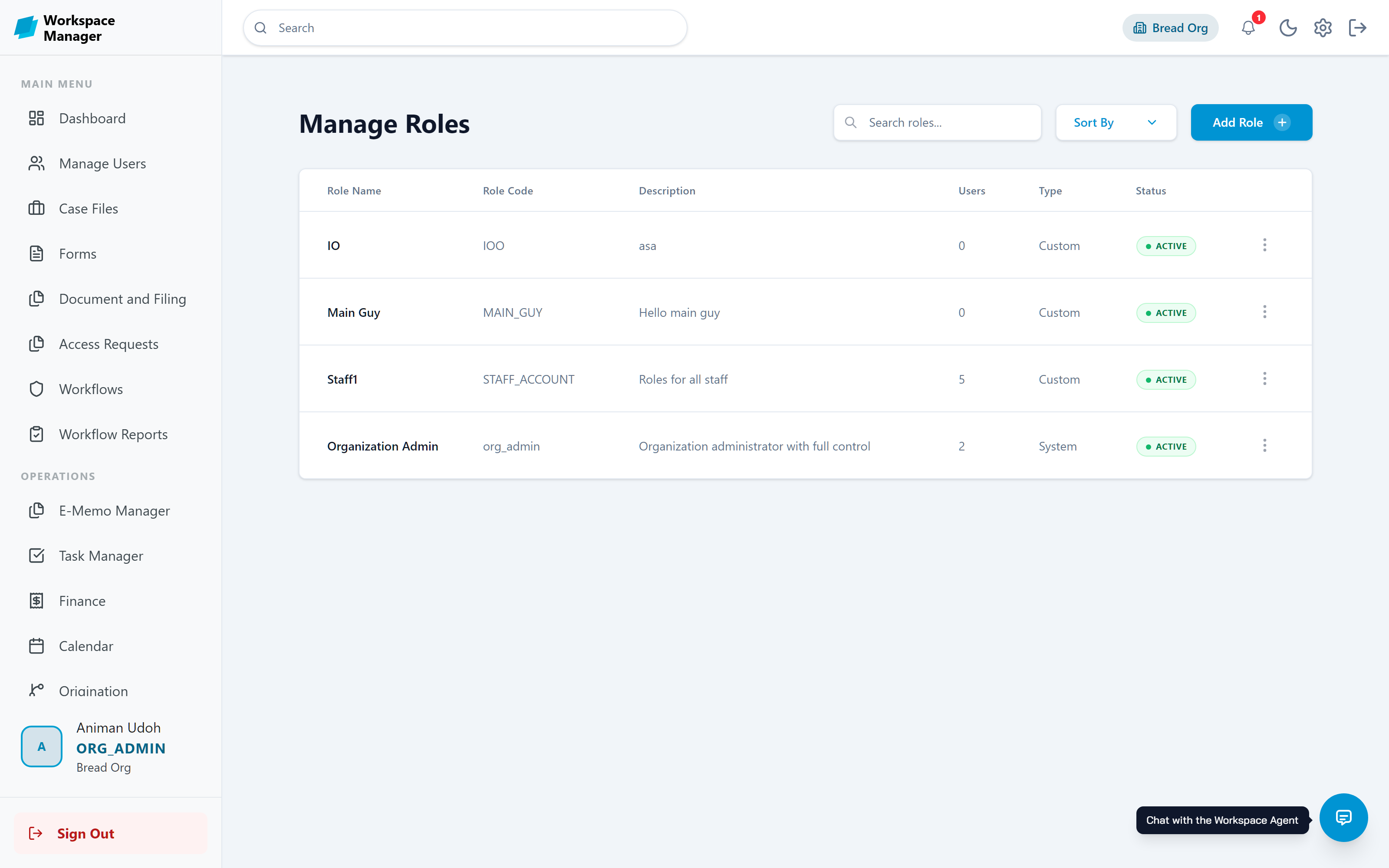
Hiding a button is not security. Permissions are checked where the decision is made, so a direct link gets the same answer as a hidden menu.
Custom roles built from a granular permission catalogue, so people get exactly what the job needs
Route-level enforcement, checked before a page renders rather than by hiding a menu item
Documents with view, edit, and full-control levels, plus passwords, expiry dates, and access-count limits
Organogram branches that can be restricted, so a department only sees its own part of the tree
Workflow decisions restricted to the nominated approver, refused for everyone else
API tokens that are shown once, carry an expiry, and can be revoked immediately
An answer for every question an auditor asks
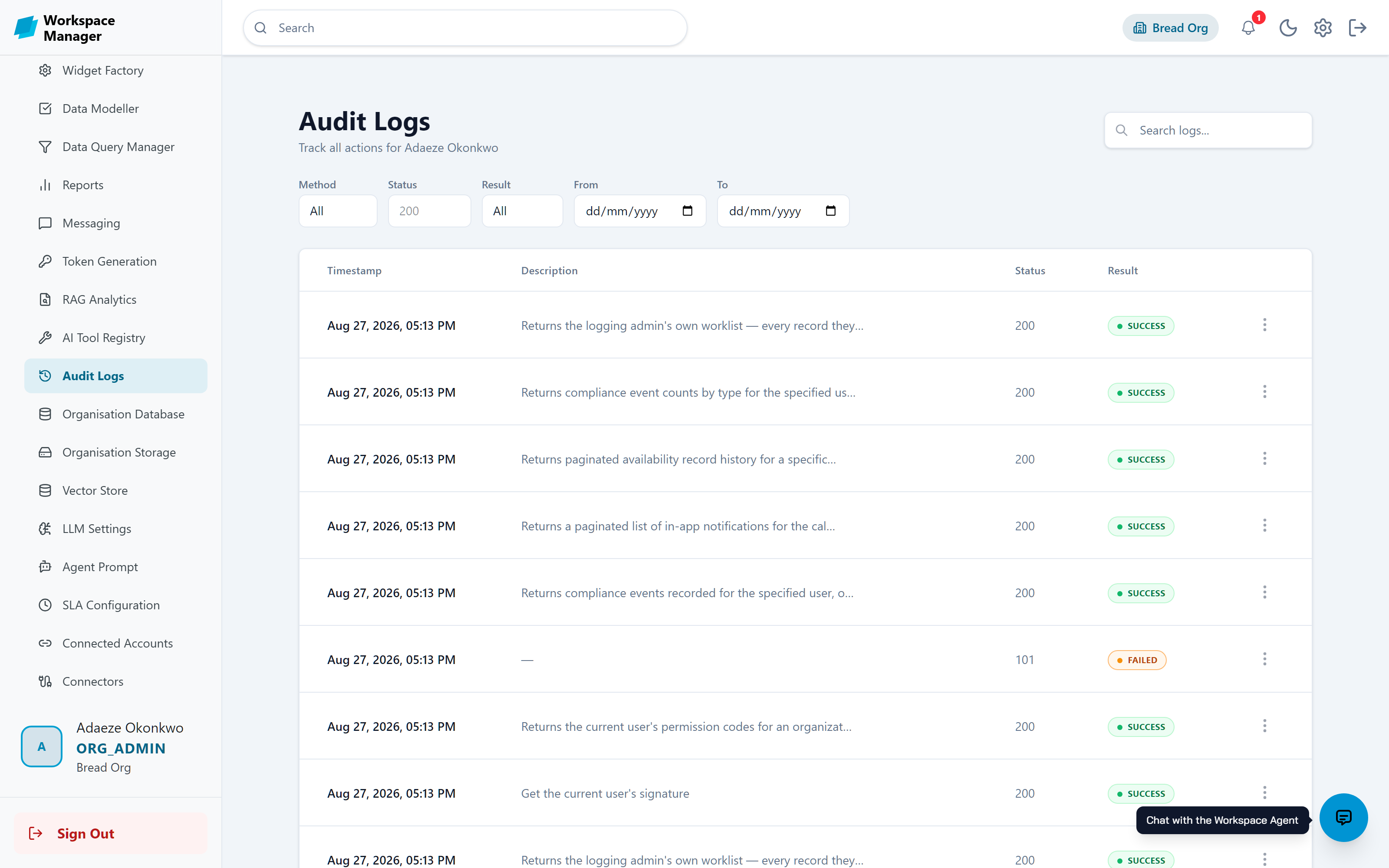
The audit log captures the timestamp, the person, the action, the path, and whether it succeeded. Filter by user, method, result, or date range and export what you find.
Workflow completion reports record who decided and what the outcome was
Onboarding dossiers keep an attributed trail of every proposed and accepted change
SLA escalation tickets show where work stalled and who it moved to
Document downloads state the real reason when they are refused
Have a security review to get through?
Tell us what your auditors need to see and we will walk your team through how the platform handles it.