
Your data, your infrastructure, your country
Most platforms decide where your data lives and which AI provider reads it. Workspace Manager hands both decisions back to you, which matters when the regulator, not the vendor, sets the rules.
Cloud agnostic
Any cloud, or your own racks
Data sovereignty
Your database, your country
LLM agnostic
Your provider, your budget
Runs where you already run
The platform ships as containers, so it deploys to any cloud, a private cloud, or hardware in your own building. There is no dependency on a single provider's proprietary services, and no rewrite if you move.
Containerised
Each service is a container image, orchestrated the way your platform team already orchestrates things.
Air-gap capable
With your own database, storage, and a self-hosted model, an installation can run with no outbound internet access at all.
No lock-in
Standard PostgreSQL, standard S3, and standard model APIs mean moving between providers is a configuration change.
Keep the data where it belongs
An organisation admin can switch storage and database from the platform's managed defaults to infrastructure you own, without involving us.
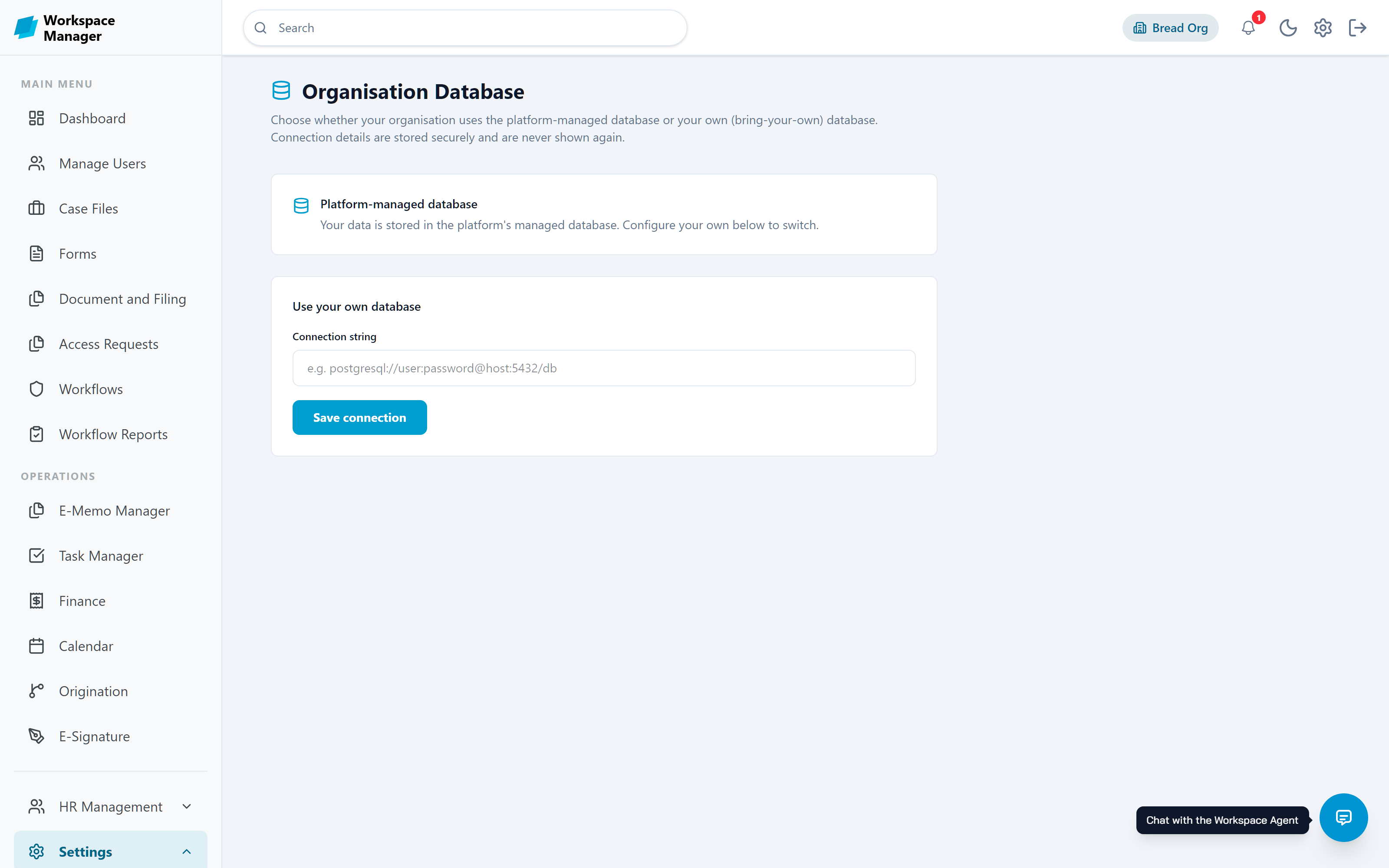
Bring your own database
Point the platform at a PostgreSQL or MongoDB instance you run. Your records live in your database, under your backup policy and your retention rules. The connection string is encrypted and never shown again once saved.
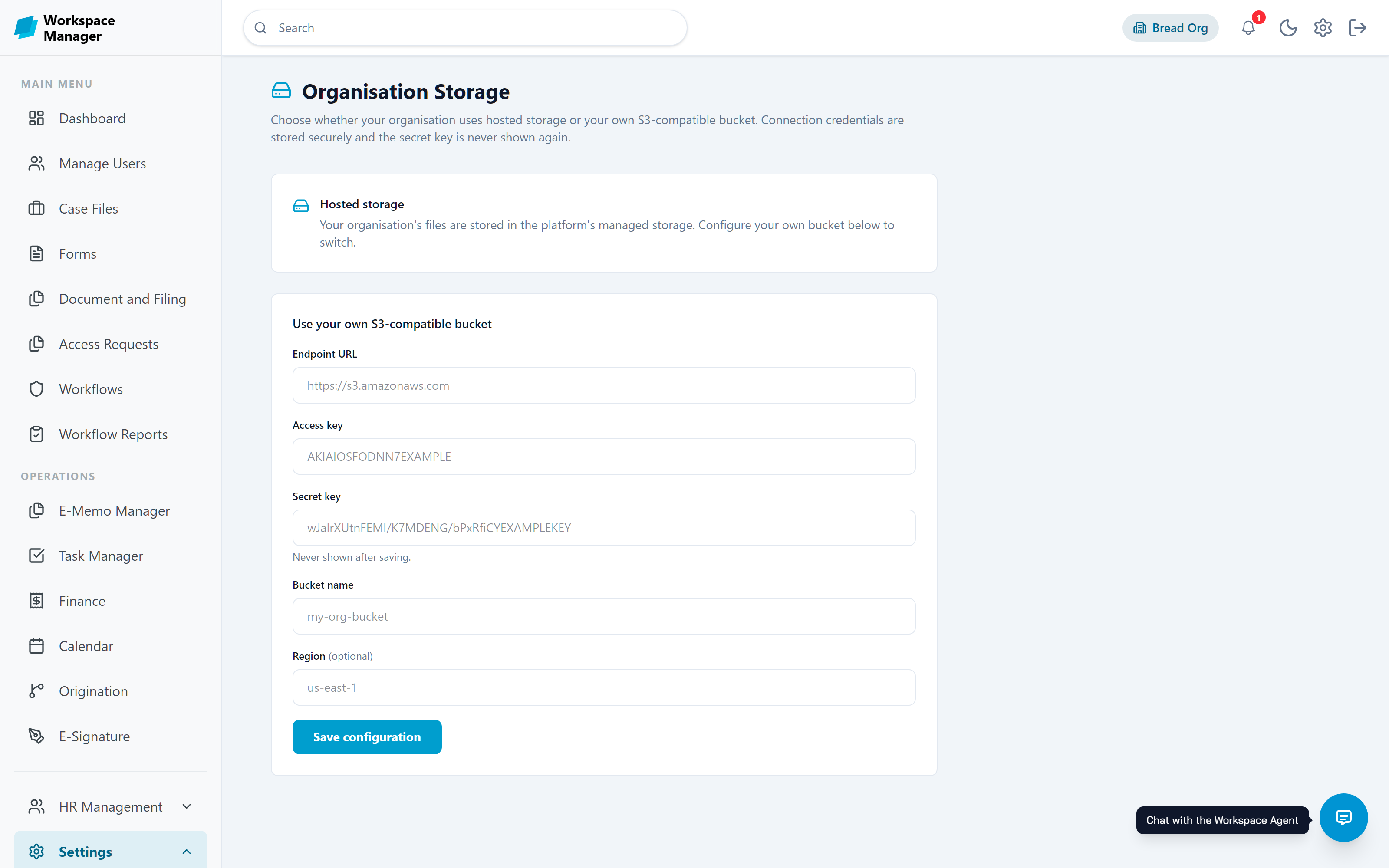
Bring your own storage
Documents and attachments can go to any S3-compatible bucket: AWS, MinIO on your own hardware, or a regional provider. Give it an endpoint, bucket, region, and keys, and files never touch platform storage.
Why sovereignty is worth the setup
Choose the country your data is stored in, rather than accepting a default region
Keep personal records inside your own infrastructure to support NDPR obligations
Meet public-sector rules that require citizen data to remain in-country
Satisfy sector regulators who ask for named, auditable storage locations
Run entirely disconnected from the public internet when the workload demands it
Keep your existing backup, retention, and disaster-recovery arrangements
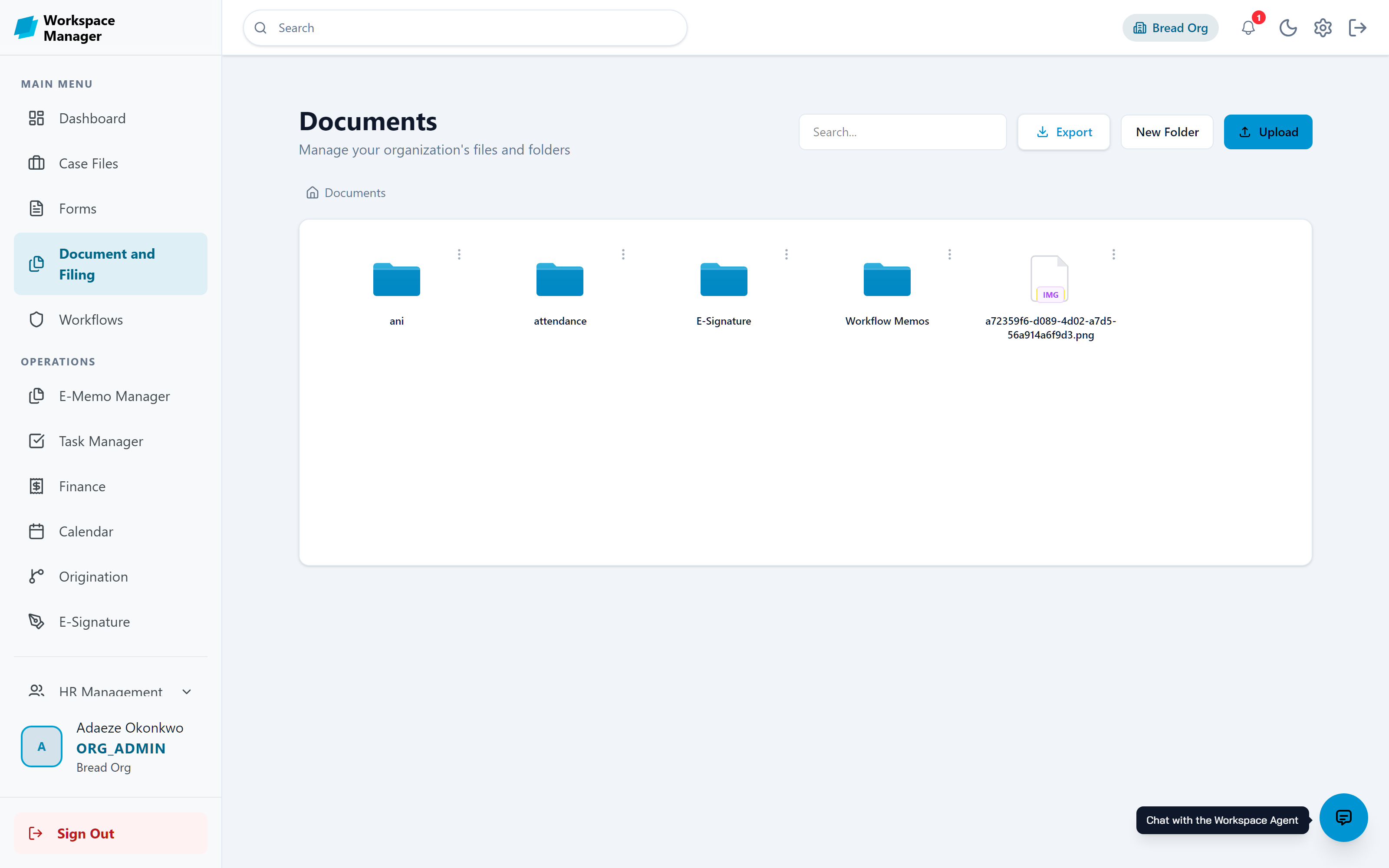
Organised folders, governed files
Owning the bucket is only useful if the files inside it are under control. Documents live in folder trees your teams organise themselves, with access rules that travel with each file.
Folder trees with drag-and-drop filing, renaming, and search
View, edit, and full-control permission levels per file or folder
Password protection and viewing-duration limits on sensitive content
Expiry dates and access-count limits that shut a file off on schedule
Stored in your own S3-compatible bucket when BYO storage is configured
Refusals state the real reason, and every access lands in the audit log
Bring your own model, and your own bill
AI features should not lock you into one vendor's pricing. Connect the provider you have a contract with, or run a model on your own hardware.
Choose the provider
OpenAI, Anthropic, Google AI, Azure OpenAI, OpenRouter, or a self-hosted Ollama instance. Chat and embedding models are configured separately, so you can mix a strong chat model with a cheap embedder.
Control the cost
Because the key is yours, AI spend sits on your own account at your own negotiated rate, rather than being resold to you. Swap to a smaller model whenever the workload allows.
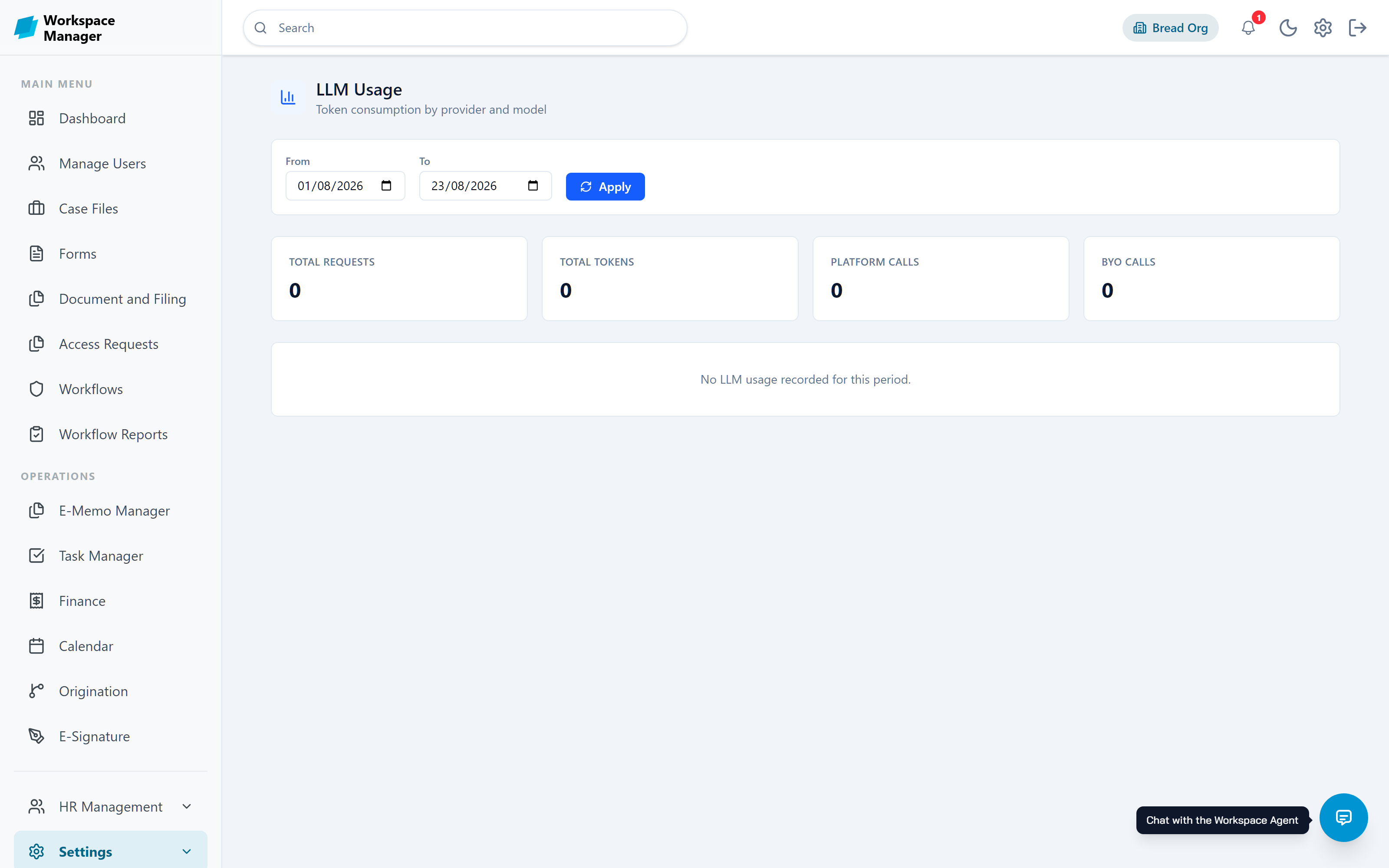
See what is consumed
Usage is metered by provider and model, and split between platform calls and calls made with your own key, so nothing is a surprise at the end of the month.
Keep prompts in-house
Run a self-hosted model when the content is too sensitive to leave your network, and set an organisation-specific agent prompt so the assistant follows your rules.
Your own knowledge, your own index
Retrieval-augmented generation lets the Workspace Agent answer from your documents rather than guessing. The index that makes it possible is yours too.
Choose the store
Use the hosted pgvector instance, or connect your own pgvector, Pinecone, or Qdrant.
Watch the pipeline
A dashboard tracks ingestion status per file, chunks and embeddings produced, and average processing time.
Fix what fails
Files that fail to index are listed with the reason and can be retried, rather than disappearing silently.
Respect permissions
Retrieval is scoped to the organisation, so the agent never surfaces content from another tenant.
How the controls are enforced
Owning the infrastructure is half the story. The other half is who can reach the data once it is there.
Need it in your own environment?
Tell us your hosting and residency requirements and we will map out what a deployment looks like for your organisation.